MC App Knowledge

Contact us
Language:
US English (US)
FR French
DE German
ES Spanish
IT Italian
PL Polish
CN Chinese
TR Turkish
PT Portuguese
Home

    Please fill out the contact form below and we will reply as soon as possible.

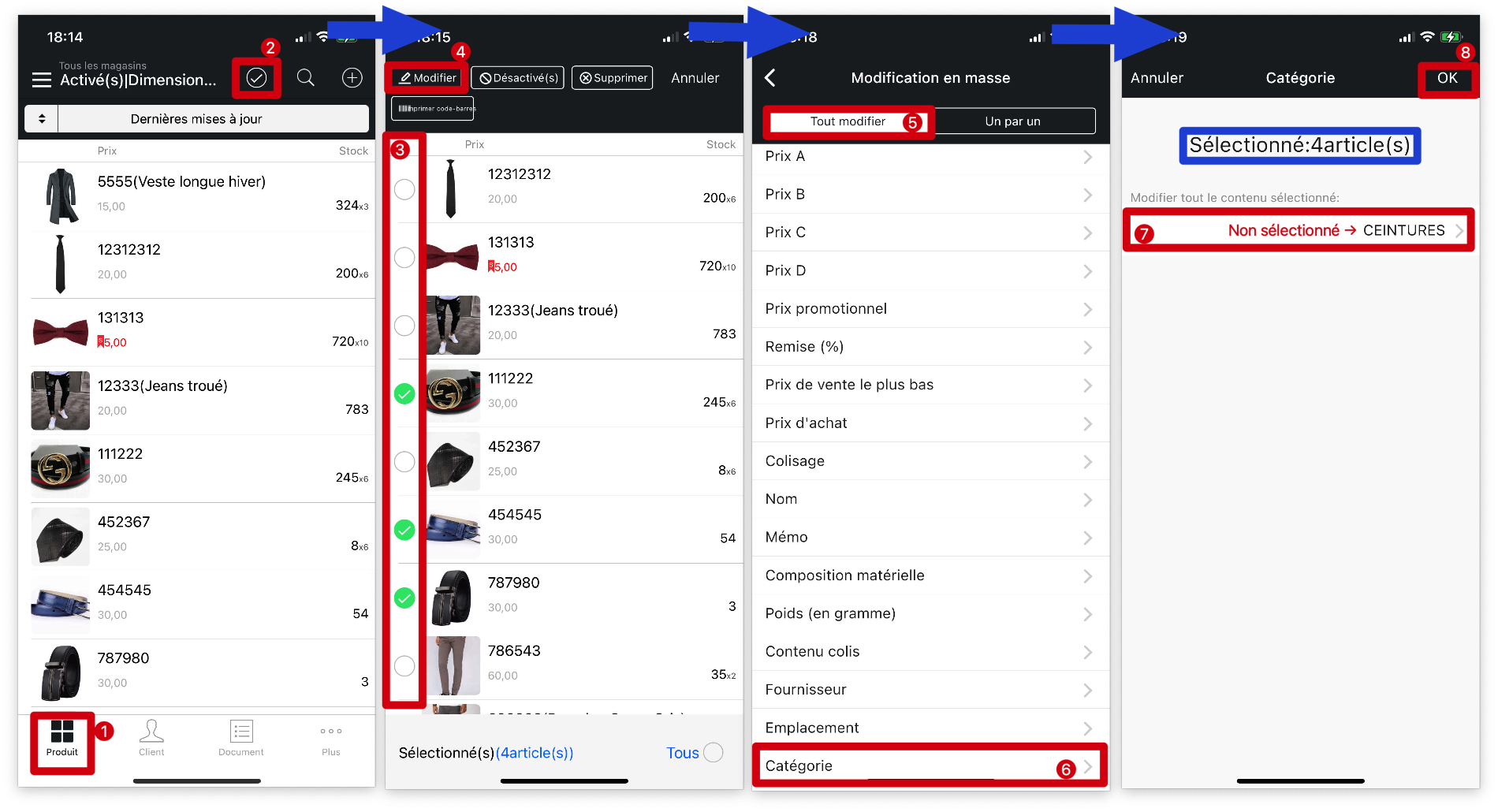
    How To Bulk Modify Products Information On MC Boss?

    Updated at May 16th, 2024

    In This Article:

      Q:How To Bulk Modify Products Information On MC Boss?

      A:MC Boss → Product → Bulk select items → Modify → Select product property to modify → ✔️

      • products property
      • bossproductmanagement
      • modify
      • bulk
      • discount
      • category
      • size
      • brand
      • season
      • name
      • category
      • purchase price
      • price
      • stock alert

      Was this article helpful?

      Related Articles

      How to export stock data on MC Web?

      Q: How to export stock data on MC Web?  A:  1. Click the website:   web.mc.app  o...

      How to update address and print the updated information after placing an order on MC Seller?

      Q: Customer information has been updated, but why is the printed information stil...

      How to create and apply Supplier category on MC Boss?

      Q: How to create Supplier category on MC Boss? A: Go to MC Boss → Tap More → Sett...

      How to import suppliers in batches on the MC web version?

      Q: How to import suppliers in batches using the MC Web version? Q: Can suppliers ...

      Powered by eFolix

      Smart CatalogContact UsFrançais


      Knowledge Base Software powered by Helpjuice

      Definition by Author

      0
      0